Contract register
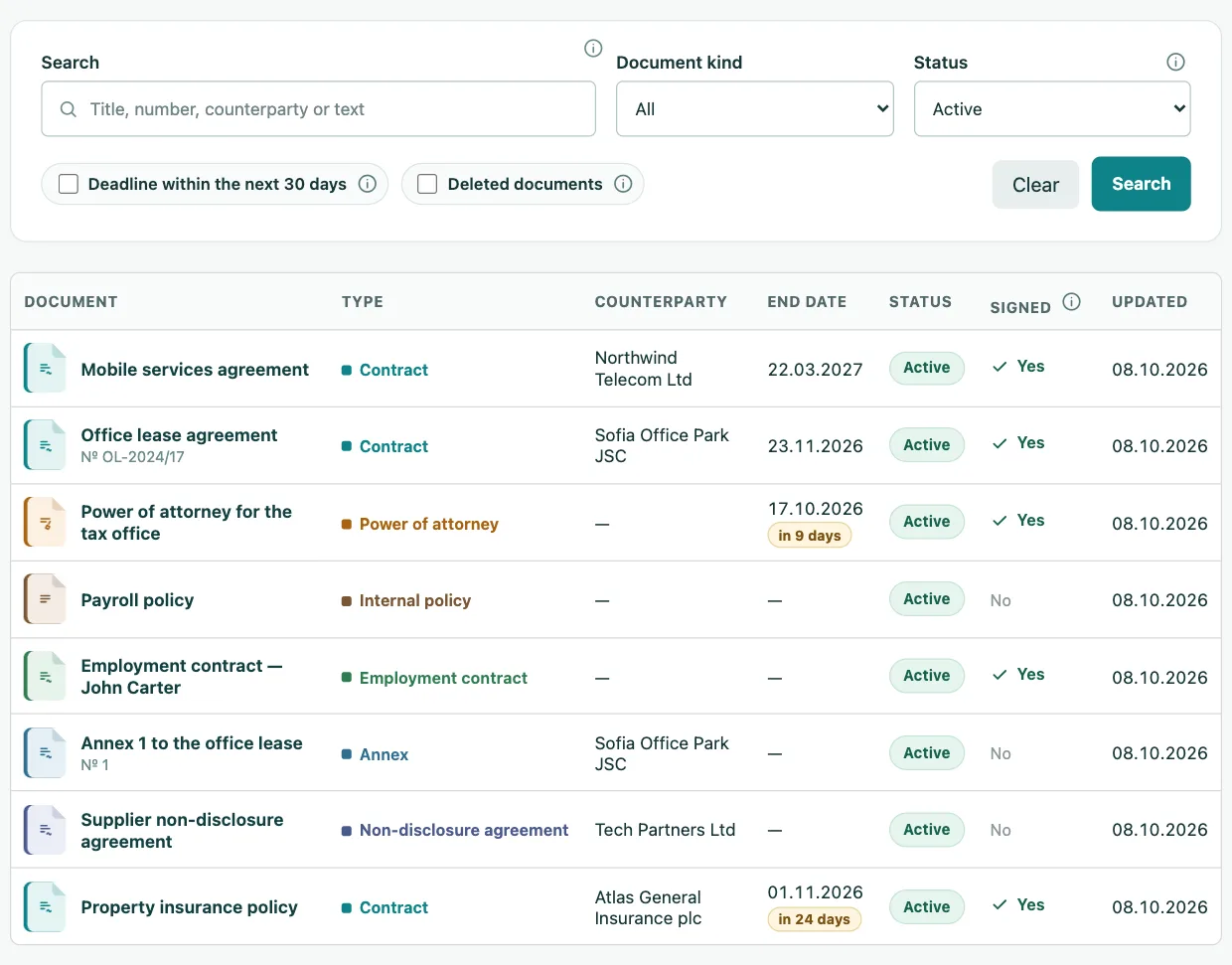
Type, counterparty, number, dates, value and status of every document, with search and filters.
Company documents
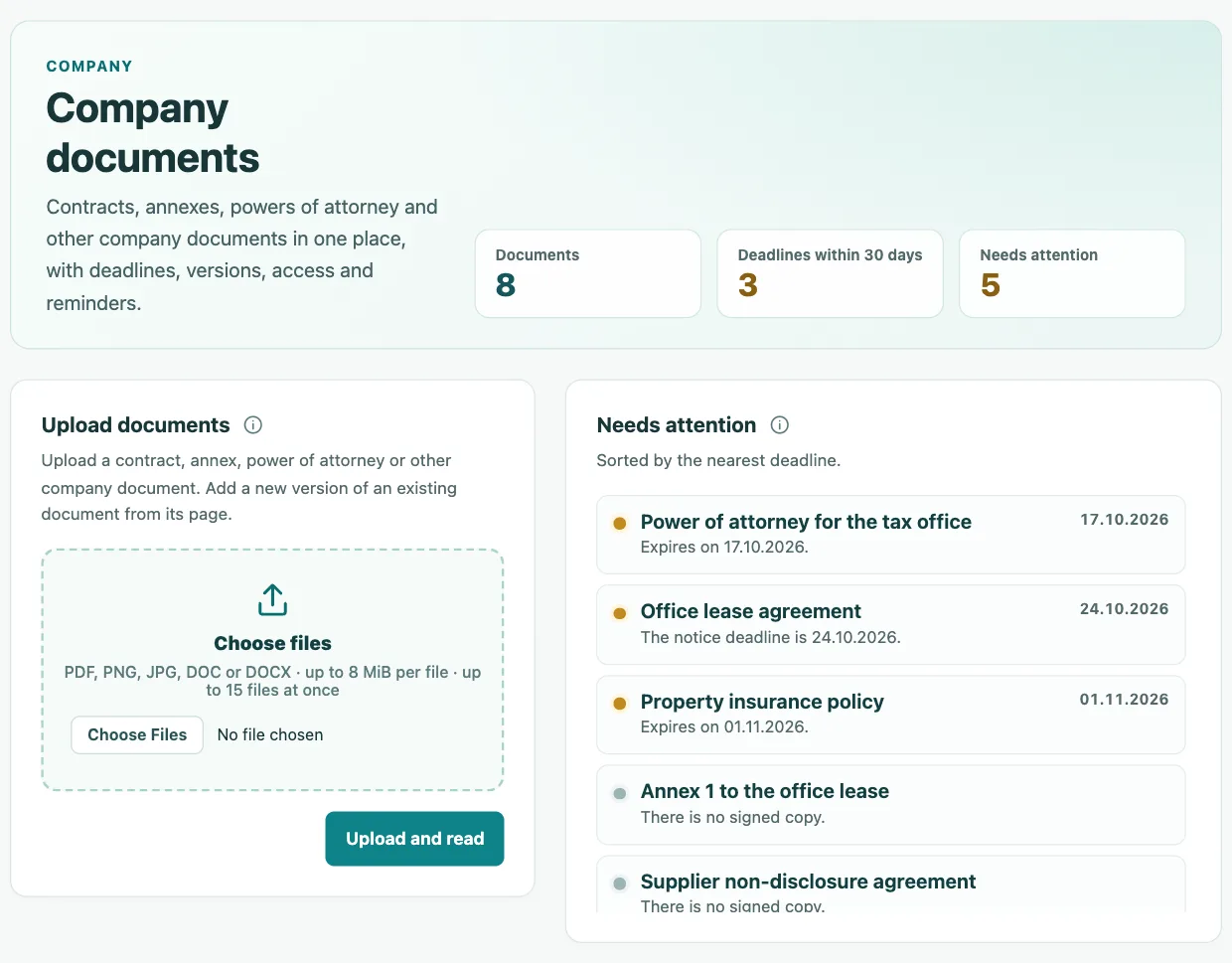
Upload a contract, annex, power of attorney or certificate. InvoiceHub reads the type, counterparty and dates, keeps every version and reminds you before the end date and the notice deadline.
Included in every plan and in the free demo
Features
Contracts with suppliers and clients, annexes, non-disclosure agreements, powers of attorney, employment contracts, internal policies and certificates.
Type, counterparty, number, dates, value and status of every document, with search and filters.
AI fills in the type, title, counterparty, dates, renewal and notice period. You check and save.
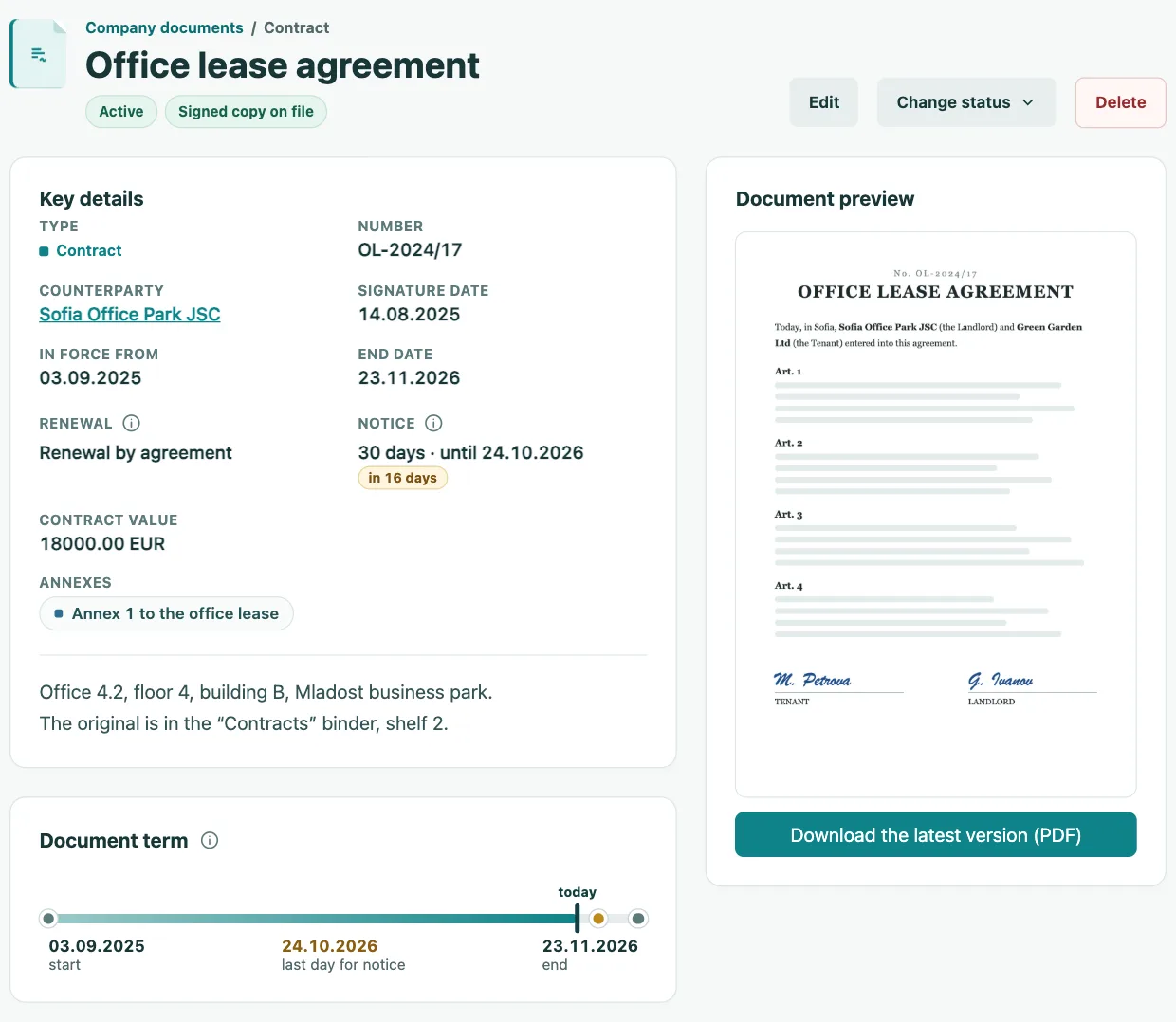
60, 30, 14, 7 and 1 day before the end date or the last day for notice, by email and in Slack.
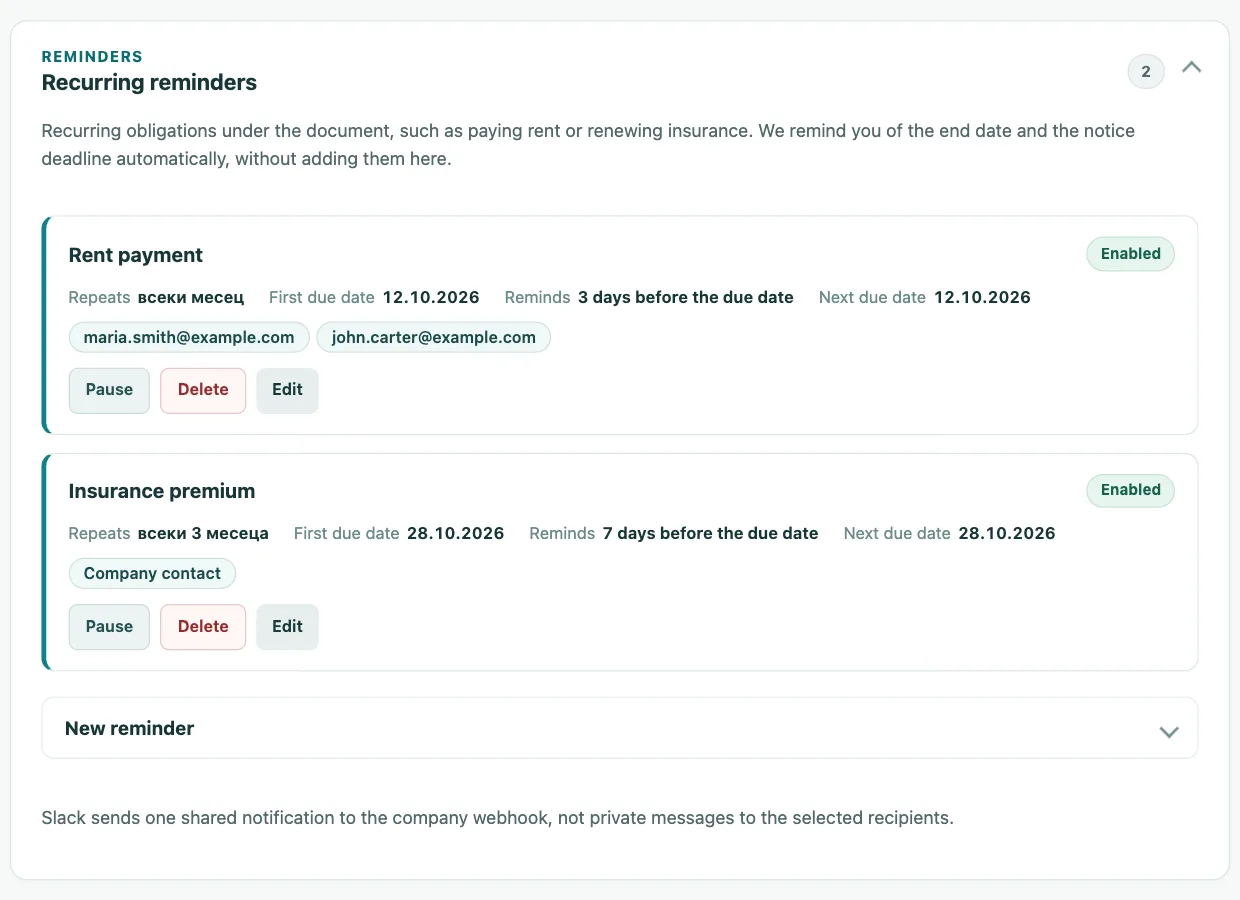
Rent, insurance or lease payments: set the due date and frequency, and choose the recipients by name.
Every version is kept separately. You mark the signed copy, and a missing one appears under “Needs attention”.
Find a contract by a word in its content, not only by its title. Scanned pages are read with AI.
Who can view and edit follows the company permissions. Only explicitly chosen people see confidential documents.
Compares the counterparty’s invoices with the contract value and warns you if a marked counterparty invoices without an active contract.
Deadlines and notice
The document page shows the key details, the days left and a term line with the last day for notice. With automatic renewal the end date extends on its own.
Recurring reminders
Add recurring obligations to any contract: monthly, quarterly or yearly. Choose how many days in advance to be notified and who receives it.
Register
Filter by type and status, search the text of every version and see which documents expire in the next 30 days and which lack a signed copy.
Pricing
Company documents are part of every subscription and the free demo. You pay nothing extra for the module, the users or storing the versions.
When the limit runs out, you fill in the details by hand and everything else keeps working.
Yes. The module is included in every plan and in the free demo, at no extra cost and with no limit on users. Automatic reading of the details uses the same limit as invoices.
Upload, saving, versions, reminders and sharing keep working. You fill in the document details by hand, and the text of PDF files with a text layer stays searchable.
60, 30, 14, 7 and 1 day before the end date or the last day for notice, by email and optionally in Slack. With automatic renewal the end date extends on its own and we remind you of the notice deadline.
Only administrators, the document owner and the users you explicitly share it with. Confidential documents are not shown to the AI assistant through MCP either.
PDF, PNG, JPG, DOC and DOCX up to 8 MB per file and up to 15 files at once. Each file is converted to PDF and kept with all its versions.
They were moved automatically to the company document library together with their files. If you upload a contract as an invoice, you move it with one button from the review.
The demo starts right after registration, with no card.